Trailer
Introduction
Treasures Through Time is an isometric puzzle game based on Lara Croft Go and was the second game project I made at The Game Assembly. Due to the target platform being mobile a big focus of the project was optimization with the goal being to reach 30 FPS on the school’s ancient android tablets. You play as a time travelling robot and the objective is to collect what your character believes to be valuable human artifacts but are in fact very mundane objects.
Key Contributions
- Player Movement
- Editor Tools
- Menus
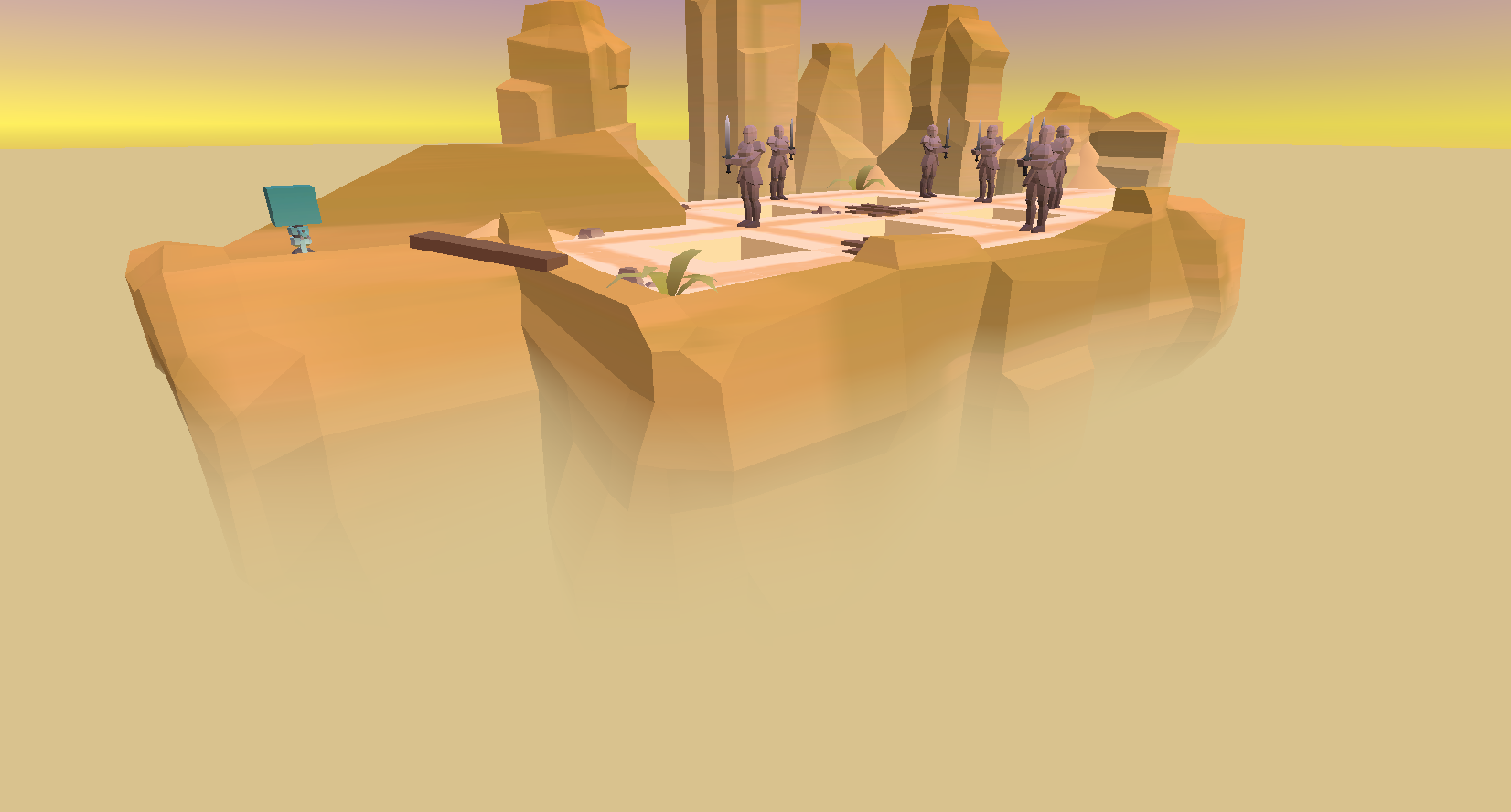
- Height Fog Shader
Highlights
Player Movement
I made the player movement using a grid system for all the tiles which was a recommendation by the educators as it lends itself to some good optimizations. I also made it so all world events are called by the player moving following a series of checks to decide what happens. This structure was made as an optimization by eliminating the need for things like the enemy to check if the player is in front of it every frame and does so only once after the player has moved instead.
Editor Tools
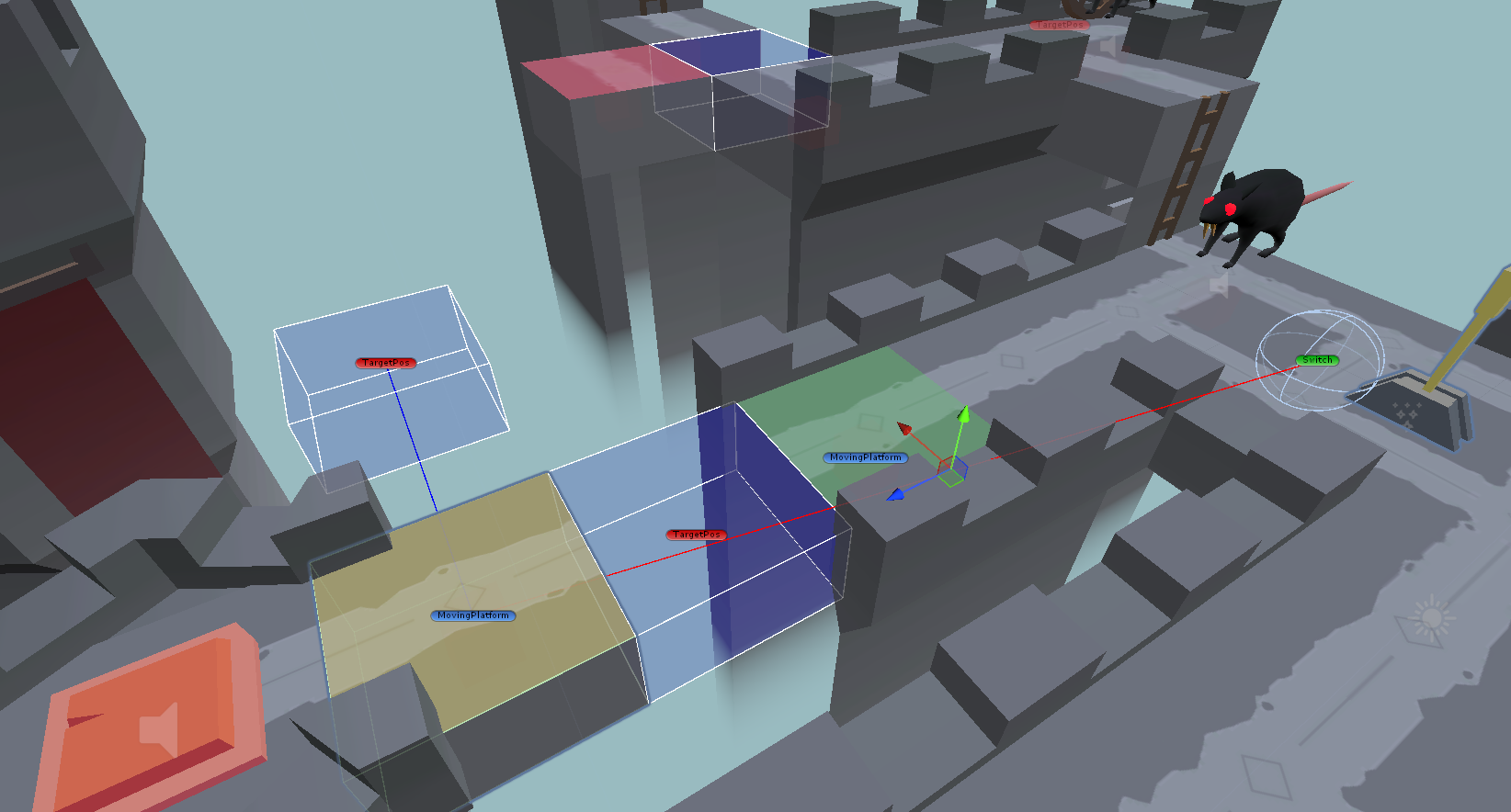
Unity editor tools are something I think is very useful to speed up development for other disciplines while not taking too much time to implement. One such tool I created was for the moving platforms where the editor draws gizmos to visualize how they would move and where they would end up when activated. I also implemented a script where level designers could quickly place ladders in the editor by setting the height and the script would create instances of the ladder segment model to reach the desired height.
Menus
The game’s main menu was something I put care into by making it a circle of 3D models that act as the buttons. The player can spin this circle around to reach the desired buttons. With both the main menu and its sub menus being 3D I think it created a pretty cool look!
Height Fog Shader
To transition the level into the background art wanted a fog to cover the bottom of the level. I made this effect using Unity’s shader graph, which I had prior experience with, and after some back and forth with the artists a nice effect was achieved if I say so myself!